
Implementing an Enterprise Resource Planning (ERP) system is a significant undertaking for any business, and its success hinges heavily on a well-defined and executed implementation process. It's not merely about selecting software; it's a strategic process involving systems, processes, and people.
Key steps for ERP implementation
1. Pre-Implementation Planning and ERP Selection Before diving into implementation, it's crucial to lay a strong foundation:
- Know Your Why and Define Goals: Clearly identify your business's pain points, inefficiencies, and what you aim to achieve with the ERP system, such as reducing error rates, speeding up time to market, or improving inter-departmental collaboration. Without clear, documented goals, projects can get derailed.
- Identify Business Requirements: Talk to business users to list their exact needs. This includes defining system requirements and designing new, efficient workflows.
- Evaluate and Select the Right ERP Software:
- ◦ Look for solutions that align with your specific needs, considering factors like scalability, integration capabilities, customization options, user-friendliness, and long-term support.
- ◦ Determine the preferred deployment model (on-premise, cloud, or hybrid) and calculate the Total Cost of Ownership (TCO), which includes licenses, hosting, implementation, and support.
- ◦ Consider peer references, customer success stories, and the vendor's proven track record, especially in your industry.
- ◦ Establish a strong relationship with the chosen vendor and implementation partner, as their expertise and methodology are vital.
2. Assembling the Project Team and Defining Processes Once the ERP is selected, focus shifts to internal preparation:
- Assemble the Right Project Team: Form a cross-functional project management team, including a dedicated project manager, key users from all relevant business areas (purchasing, marketing, logistics, sales, production, controlling, service), and IT staff. The project manager should have deep insights into all departments, strong organizational skills, and social competence.
- Ensure Strong Management Commitment: Leadership must be actively engaged, communicating expectations, freeing up resources, maintaining a positive attitude, and being available for planning. This vocal support is critical for success.
- Map Out Current and Define Future Workflows: Thoroughly document your current production processes to spot inefficiencies, manual steps, and duplicated work. Re-evaluate and optimize workflows to leverage the new software's capabilities, rather than trying to reproduce old, inefficient processes exactly.
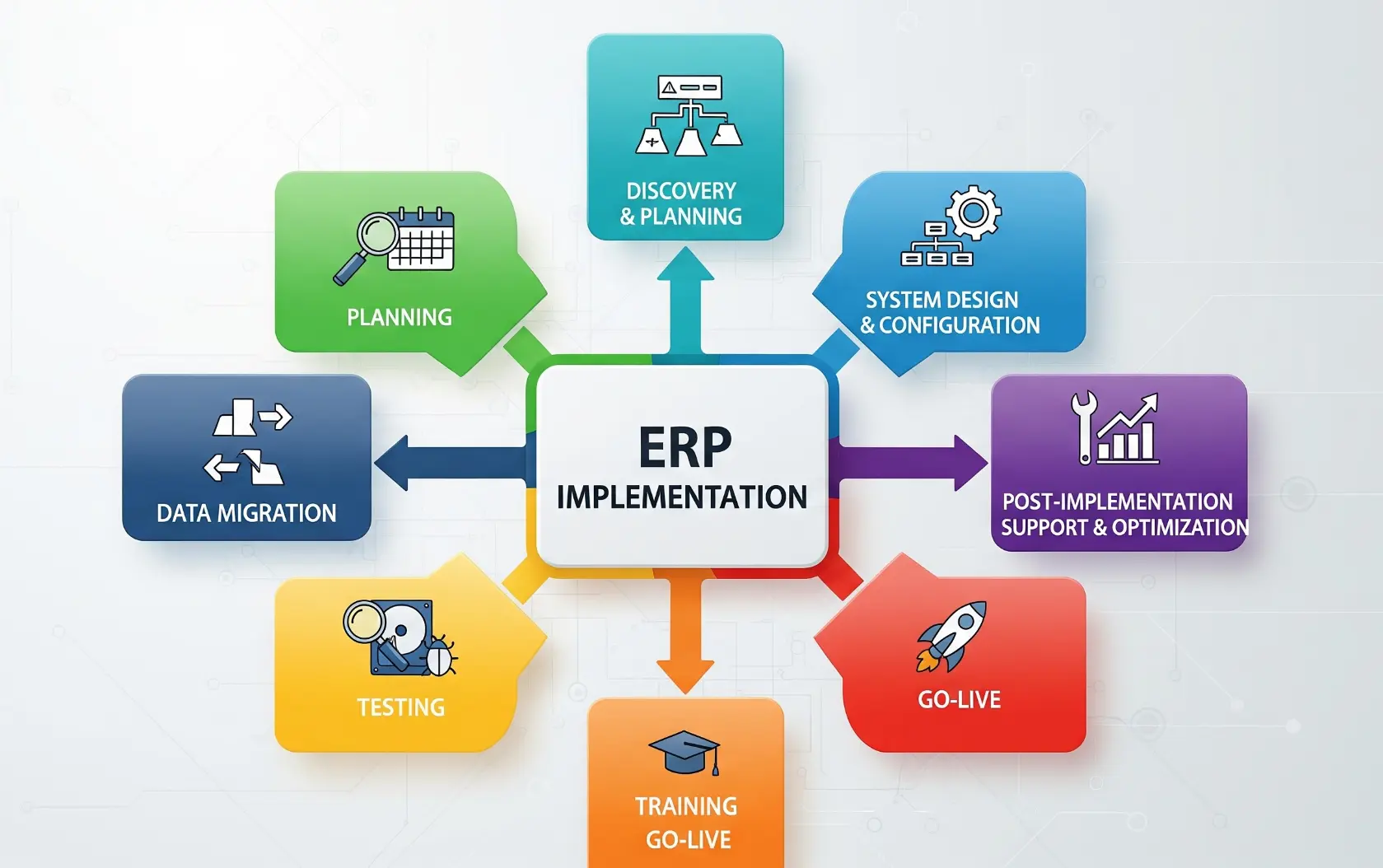
3. Data Preparation and System Configuration This is where the system begins to take shape:
- Clean and Prepare Your Data: This is an often-underestimated but crucial step. Audit and clean existing data (e.g., customer lists, SKUs, pricing) by removing duplicates, fixing formatting, and standardizing naming. Data quality in the new system is only as good as the migrated data ("garbage in, garbage out").
- Data Migration: Meticulously prepare all data for transfer. Each field of old data must be assigned to a counterpart in the new data structure, and data types must be checked.
- Software Configuration and Customization: Configure the software to your specific business processes and customize it where necessary. Headless ERP systems, for example, offer unparalleled flexibility for tailoring solutions to precise requirements.
4. Testing and Training Ensuring the system works and users are ready:
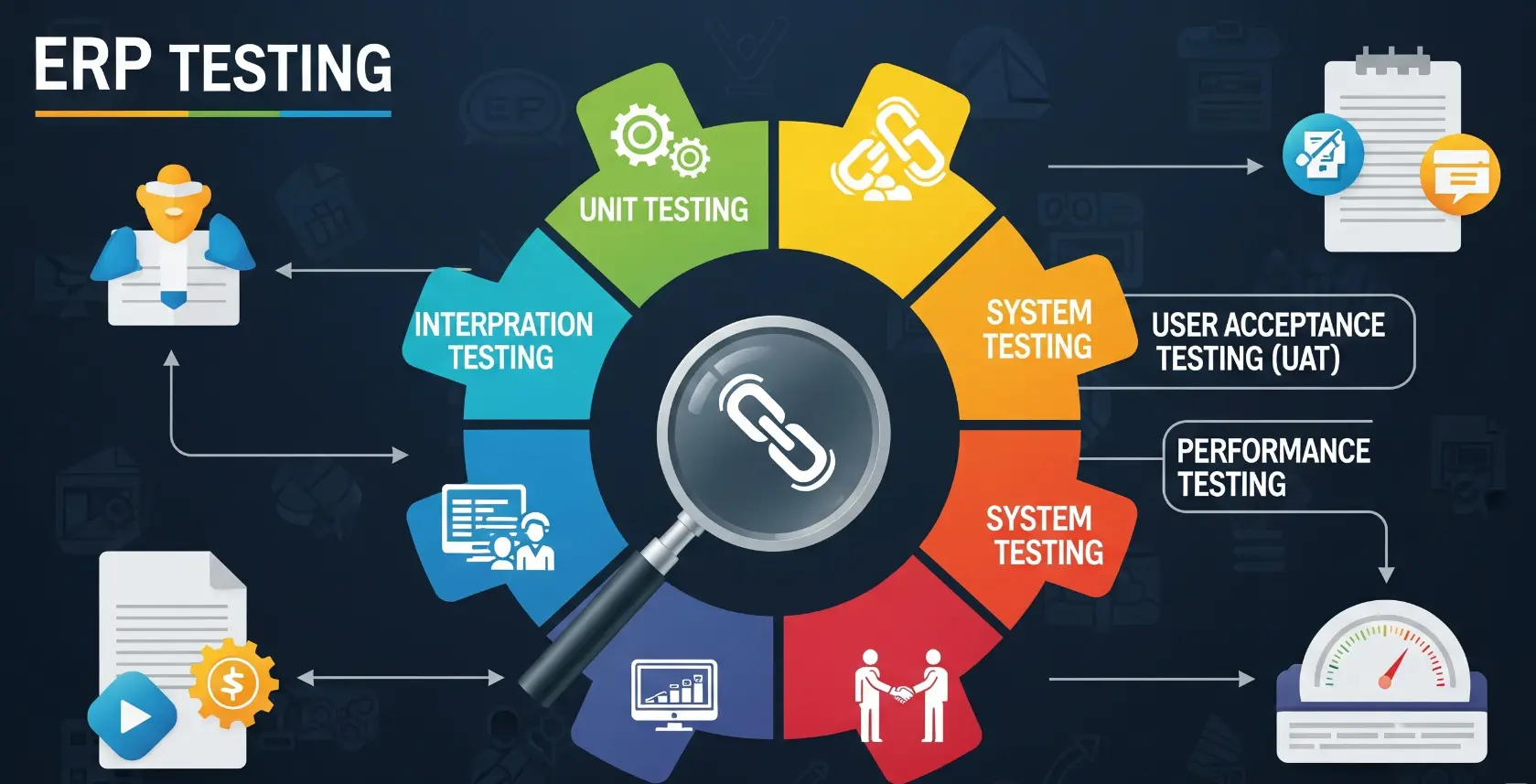
- Test, Break, Fix: Use a test environment to simulate real transactions. Consistently test various modules and features across all departments to identify and fix permissions, field mismatches, and configuration errors early. It's better to find issues now than during live operations.
- Train End-Users: Invest in comprehensive training programs tailored to the specific roles and responsibilities of different users. Provide hands-on guidance, video walkthroughs, and cheat sheets, fostering a culture where asking for help is normal.
- Address Fear of Change: Employees may be resistant to change. Communicate the concrete benefits of the ERP project for their daily work and familiarize them with the new system through workshops and training. Open and frequent communication helps overcome objections and resistance.
5. Deployment ("Go-Live") and Post-Launch Support The final stages of implementation and ongoing optimization:
- Deployment or 'Go-Live': Pick a clear go-live date and communicate it widely. Deployment can happen in phases or all modules can go live simultaneously. When issues arise, stay calm, fix them fast, and avoid switching back to old systems unless absolutely necessary.
- Post-Go-Live Support: Provide ongoing support to help users adapt to the new system, address queries, take feedback, and make necessary changes.
- Review, Refine, and Scale: Hold regular check-ins (e.g., 30-day, quarterly) to assess what is working and what is not. Continuously tweak workflows, enable automations, and expand the system to other departments.
- Continuous Improvement: Leverage the wealth of data provided by the ERP system for analysis to identify bottlenecks, inefficiencies, and areas for improvement, fostering a data-driven approach.
By following these steps, businesses can navigate the complexities of ERP implementation and maximize their return on investment.